What's new in Restless

New features, fixes, and releases from the Restless team.

SDKs for Ruby, Python, and Go

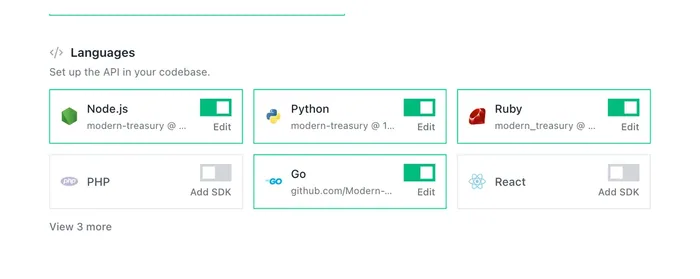
Restless SDKs are available for Ruby, Python, and Go. The Ruby SDK ships Rack middleware for Rails, Sinatra, Hanami, and Grape. The Python SDK covers WSGI and ASGI for Flask, Django, FastAPI, and Starlette. The Go SDK wraps any net/http handler, including stdlib, chi, gorilla/mux, Echo, and Gin.

Endpoint traffic grouped by spec operation

Request paths that contain ids or tenant slugs are now matched back to the OpenAPI operation that served them, so the Endpoints page and the Overview's top endpoints card group traffic by operation instead of listing one row per caller.

Generated Getting Started walkthrough

The docs Getting Started page composes itself as a continuous walkthrough with a generated capability overview that groups endpoints into labeled areas with descriptions and icons. It renders as live markdown and includes integration option cards and curated use cases.

Suggested follow-up questions in the docs

After each docs chat answer, contextual follow-up questions appear that can be clicked to ask them. The Getting Started walkthrough closes with grounded starter questions derived from the API's real capability areas.

Viewer access management

Approve, invite, deny, and revoke individual visitors for docs that require access, from a page under Users with a pending-request badge. A link from the portal status section jumps straight to it.

Connect the MCP server from the docs chat footer

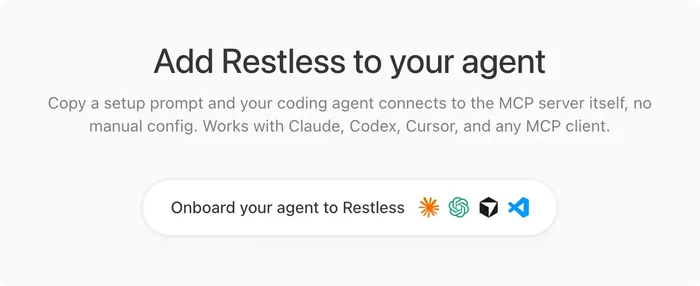
The docs ask box footer shows a single onboard chip that copies a setup prompt for your agent, plus a dialog with per-client setup instructions for Claude, Codex, Cursor, VS Code, and any other MCP client. A help modal explains what the copied prompt does.

Support notifications and two-way Slack threads

Support activity now sends email: your team is notified when a visitor opens or replies to a thread, and the visitor is notified when your team answers. Each project can also connect a Slack workspace and channel from Settings, which mirrors the whole conversation into a Slack thread (including AI answers, closes, and reopens) and sends replies written in that thread back to the customer. Every notification email includes a link to turn off notification emails for your own account.

Request Access for your API portal

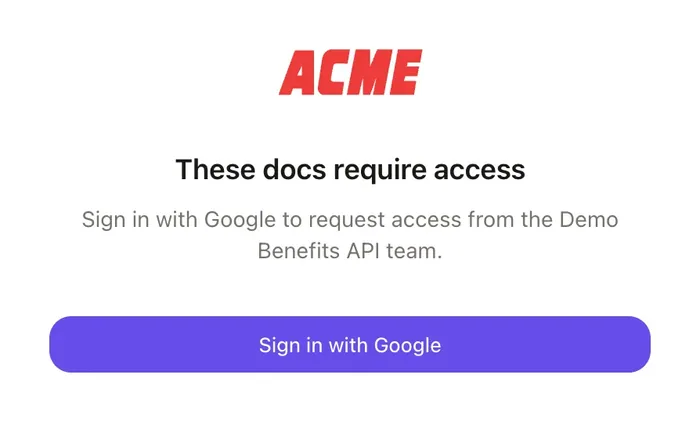
Your API portal now has a third visibility setting, Request Access, alongside disabled and public. Visitors sign in with Google and can request access, and a new Viewer Access page under API Portal lets your team invite people by email, approve or deny requests, and revoke access later. Approved viewers get the same portal access as your team, including the docs, AI chat, and agent surfaces.

Docs visibility controls

A project's docs are either disabled or public, with an inline helper explaining what the current setting means. Gated projects apply the same rule to the chat, MCP server, and every machine-readable surface, and short-lived agent tokens let an owner preview them.

API catalog discovery file

Each docs host serves a /.well-known/api-catalog linkset pointing agents at the docs, OpenAPI spec, llms.txt, and MCP endpoint. It follows the same visibility rules as the other public surfaces.

Docs chat can call your API

The public docs chat can now run real API calls on behalf of a signed-in visitor, using a key they connect once and their MCP clients reuse. Write operations pause for an explicit approval, and a visitor who needs an account is prompted to sign in and has their question replayed.

Docs chat uses the page you are on

Questions asked from an endpoint, use case, or section page are answered with that page as context, so a question like what parameters does this take resolves against the right operation. Only a pointer to the page is sent, and the content is rebuilt server side from the public spec.

Short claim link for CLI setup

The link the CLI prints for claiming a new project is now a short alias that is easier to copy between terminals and machines. Existing long-form links keep working.

One click agent onboarding for MCP

Every project's docs host now serves a prompt.md file that a developer can hand to an AI coding agent, which fetches it and installs that project's MCP server itself using the correct setup for Claude Code, Codex, Cursor, VS Code, or any remote MCP client, along with a summary of the tools the server exposes. The Agent view of the docs has a single Onboard your agent button that copies a short prompt pointing at that file, and fetches of prompt.md are recorded in agent traffic alongside the other agent surfaces.

Agent-verified project claiming

A coding agent whose platform can mint a verified identity assertion can claim a freshly created project on behalf of the signed-in user, with no manual steps. It falls back to the normal claim link when the platform is not trusted or the email has no account.

Re-run setup safely and re-sync your spec

Registering the same write key twice now returns the existing project instead of creating a duplicate, so a repeated setup cannot split traffic across two projects. npx api update can also push a new OpenAPI spec after a project is claimed and compare what the dashboard already has.

Restless MCP server for your own dashboard data

Point an AI client at the Restless MCP server to query your projects, logs, docs, and settings across everything you have access to. It is served from the Restless docs portal and installed with a personal API key.

Code Integrations page in the docs

Getting Started splits into a no-code overview and a developer-focused Code Integrations page carrying language tiles, the full endpoint list, and setup cards for coding agents like Claude Code and Codex. Every supported language is enabled by default, with HTTP samples as the baseline and SDKs as an enhancement.

Use Cases as a top-level section

Use cases are now their own section with separate docs-facing descriptions and agent-facing MCP instructions, each with its own visibility toggle. The editor adds view and edit modes, usage stats, and an AI helper that drafts both bodies.

Sign in with GitHub

GitHub is now an option on the sign-in screen alongside Google, and accounts with the same verified email link together. The screen remembers which provider you used last.

API Feedback from agents

Your project's MCP server now includes an always-on send_feedback tool that agents are instructed to call whenever they hit an unclear tool description, a missing capability, a failure they cannot recover from, or docs that do not match actual behavior. Submissions land on a new API Feedback page under Conversations, where you can read each note along with the client and session it came from and mark it reviewed, archived, or deleted.

Public REST API and API keys

A personal API key authenticates a public REST API at /api/v1 covering projects, request logs, users, endpoints, metrics, docs settings, content, members, use cases, context, recovery messages, data sources, MCP tools, and agent feedback. The API describes itself with an OpenAPI document, and keys can be created and deleted from your account.

Live API calls from the docs MCP server

An authorized end user can have their MCP client call your API through a hosted proxy. The user's API key is collected once during the consent flow, stored encrypted, and injected server side so it never enters model context.

Custom JSX landing page for docs

Replace the docs landing body with your own JSX and Tailwind, edited in a two-panel editor with a live preview and a validator. Built-in chat and support components can be embedded, and an AI bar can generate or edit the markup from a plain-English request.

Docs theme presets and accent color

Docs portals can pick a theme preset that bundles corners, color scheme, and an optional brand glow, with individual knobs under a customize panel. An accent color can be set per project and is auto-derived from the uploaded logo.

Sign in to keep your chat when asking for a human

When a signed-out visitor asks to reach a human from the docs chat, the conversation is saved and restored after they sign in with Google. They land directly in the new support thread instead of losing the transcript.

MCP tool catalog and controls

The docs MCP server exposes built-in resource tools plus a pool of tools generated from your API operations and use cases, with only a promoted subset listed and the rest discoverable through search. A Tools page lets you pin or hide individual tools, see per-tool usage, and view what agents searched for but did not find.

Installation guides for your API

Configure how people install and use your API per language, CLI, and AI assistant, pulling package details from npm, PyPI, RubyGems, Packagist, Go, Maven, NuGet, and crates.io. The public docs render per-language install pages with MCP, prompt, and manual paths, and an MCP install tool serves the same guidance to agents.

Interactive endpoint reference with code samples

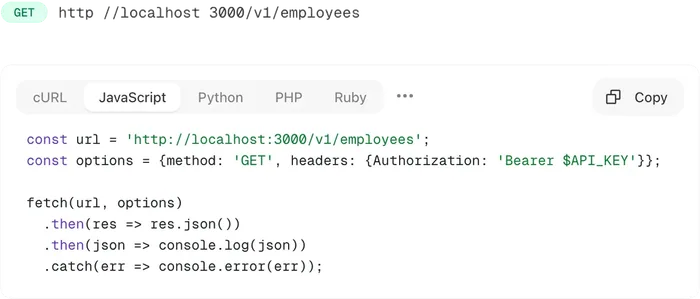
Endpoint pages in the docs show parameters, request bodies, and responses from the OpenAPI spec, alongside runnable code samples in cURL, JavaScript, Python, PHP, Ruby, Go, Java, and C#. Editing any input regenerates the samples live, and each endpoint has its own shareable URL.

Customizable AI assistant for your portal

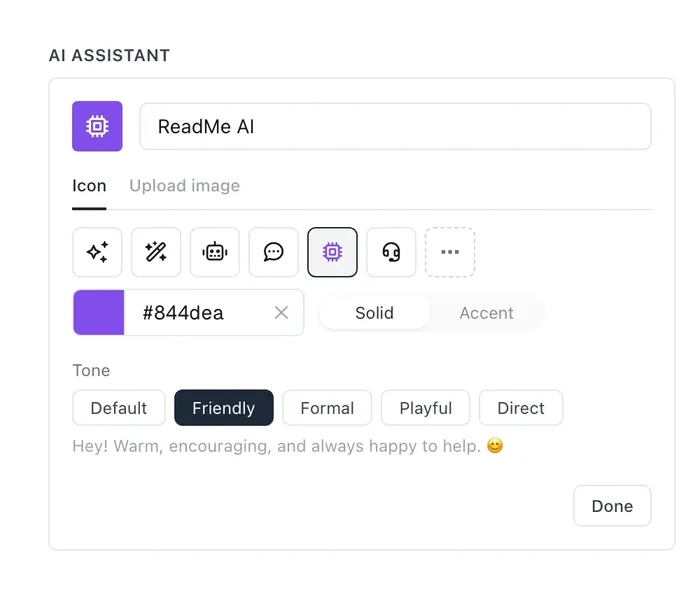
Set the name, avatar, and tone of the AI assistant that appears in the docs chat and support threads. The avatar can be an uploaded image or an icon with a chosen color.

Unified conversations with escalation to a human

Every conversation starts with the AI assistant and can be escalated to a human from the dashboard or by the visitor. A single conversations view with Human, AI, and All tabs shows reply times, traffic by source, and the point where a thread was handed off.

Search engine sitemap and robots file for docs

Every docs portal serves a sitemap.xml listing its crawlable endpoint pages and a robots.txt that points search engines at it. Both respect the project's docs visibility settings.

Source usage stats and recovery hints for agents

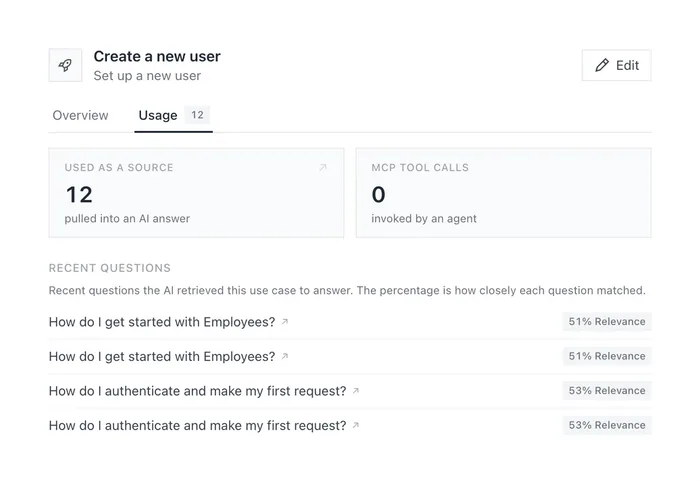
Context topics and use cases now show how often the AI actually retrieved them as a source for an answer, along with the recent questions they helped answer and links to the full conversations. MCP clients can also fetch your curated Agent Recovery guidance through a new get_recovery tool, and hints tied to a specific operation now come back inline with get_endpoint.

AI transparency disclosure for MCP

An optional per-project setting adds a disclosure telling AI clients that answers are machine generated and may be inaccurate. The message appears in the MCP handshake and on every tool result, with a built-in default you can replace.

Agent-ready docs surfaces: llms.txt, OpenAPI, per-endpoint files

Each docs portal now publishes an llms.txt index, a full llms-full.txt bundle, a public openapi.yaml, and per-endpoint Markdown and YAML slices so an agent can fetch only what it needs. HTML pages point at these surfaces and serve a Markdown twin at the same URL when a client asks for text/markdown.

Connect GitHub docs repos as a data source

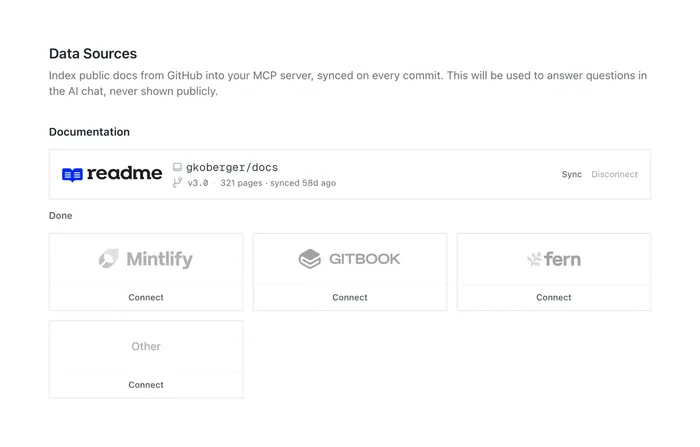
Connect a GitHub repository from ReadMe, Mintlify, GitBook, Fern, or any other provider so its pages feed the project's AI answers. Pages sync on every push, and each connected source has a page list showing how often each page is used.

Docs on your own domain or subpath

Serve a project's docs from a subdomain you control or mount them under a path on your existing site, such as example.com/docs. The setup flow shows the DNS records to add, with per-field copy buttons and suggested subdomain prefixes.

AI Traffic analytics

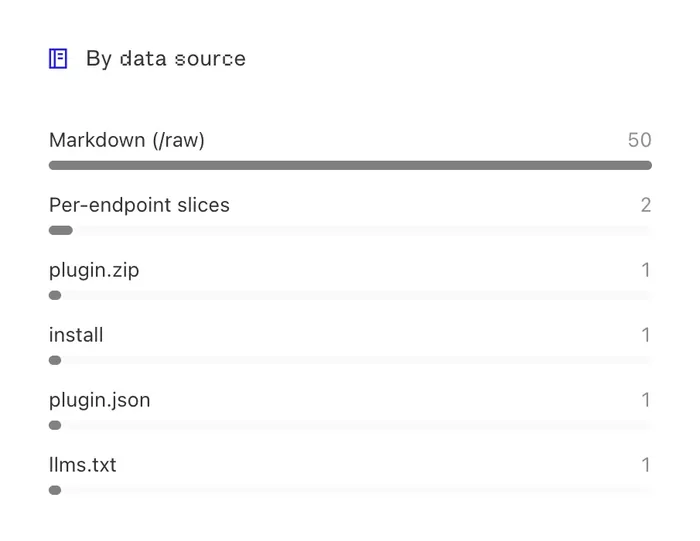
A new AI Traffic tab shows who is fetching your agent-facing data sources, including llms.txt, llms-full.txt, openapi.yaml, the Markdown view, skill.md, and per-endpoint slices. Each fetch is classified into live AI fetches, AI search, AI crawlers, dev tools, browsers, and other bots, with a vendor label, so you can see summary counts, traffic over time, top agents, breakdowns by data source and endpoint, and a recent fetches feed. MCP traffic is not included here since it continues to appear in Conversations.

Context inbox for support-derived docs

Answers from resolved support threads are turned into suggested context items for review in a per-project inbox. Approved items become saved context and keep a link back to the ticket they came from.

Agent Recovery hints for API errors

Group your API errors by fingerprint, see recovery coverage at a glance, and write a hint that is injected into the error response your callers receive. Hints can be drafted with AI, edited in a rich text editor with a live preview of where they land, and rated for quality.

Command palette search

A Cmd+K palette lets you search and jump around the dashboard from anywhere. Pressing / also focuses search when you are not typing in a field.

Docs MCP server sign-in with OAuth

Remote MCP clients such as Claude, Cursor, and Codex can now sign in to a project's docs MCP server using OAuth with PKCE. Public tools stay usable without an account, while private tools like a caller's own request logs unlock after authenticating.

Team management for every project member

Any member of a project can invite teammates, copy or revoke pending invites, and remove other members. Previously these actions were limited to the project owner.